



Reports and dashboards from your SQL database
Connect to MySQL, PostgreSQL, Microsoft SQL Server, or Oracle, import the results of a SQL SELECT, and build interactive charts, reports, and dashboards with drag and drop.
From SQL database to dashboard in three steps
Connect your database
Add a SQL source on the Source Data page, select MySQL, PostgreSQL, MS SQL, or Oracle, and enter the host, database, and user.
Import with SQL SELECT
Write a SELECT query and map its columns to dimensions and measures. A daily import keeps the data up to date.
Start analyzing
Drill in and out of your data, combine it with other data sources, and put your reports on one dashboard.
Demo dashboards & template library
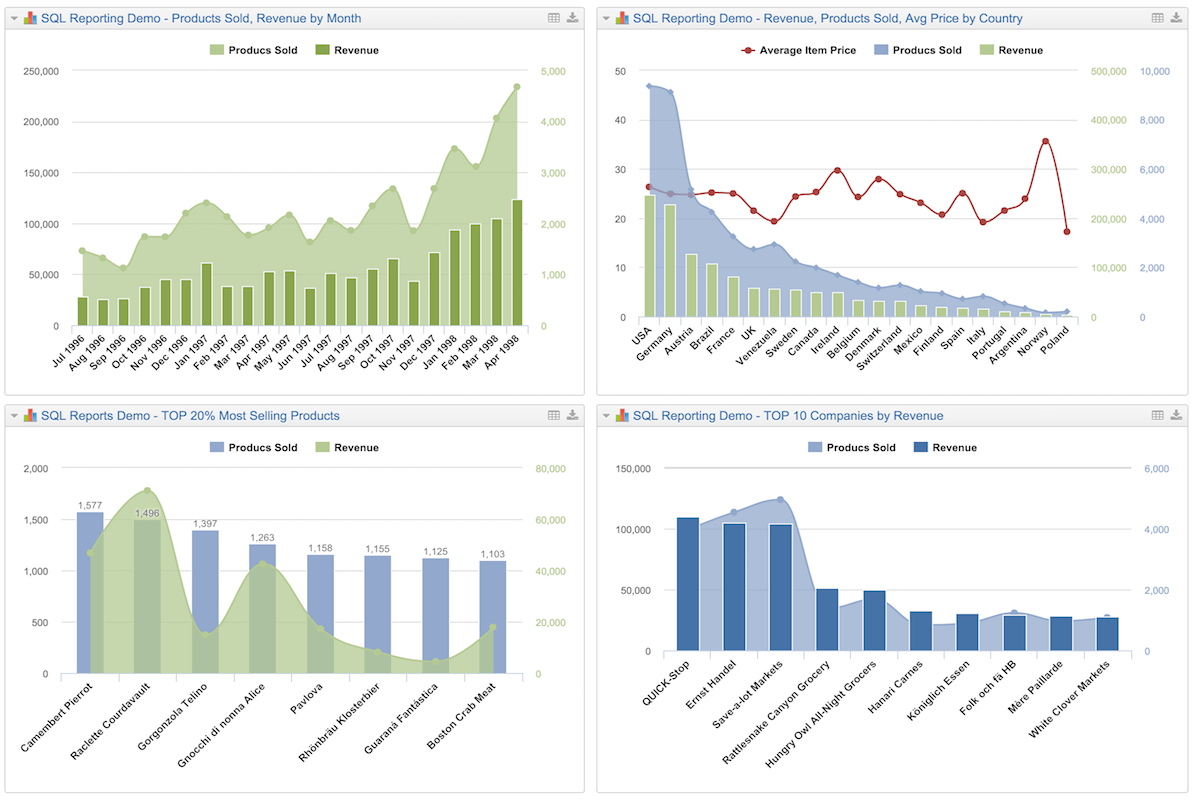
Explore the reports on the orders of the Northwind sample database in the demo account, and import the ones you like to your account as templates.
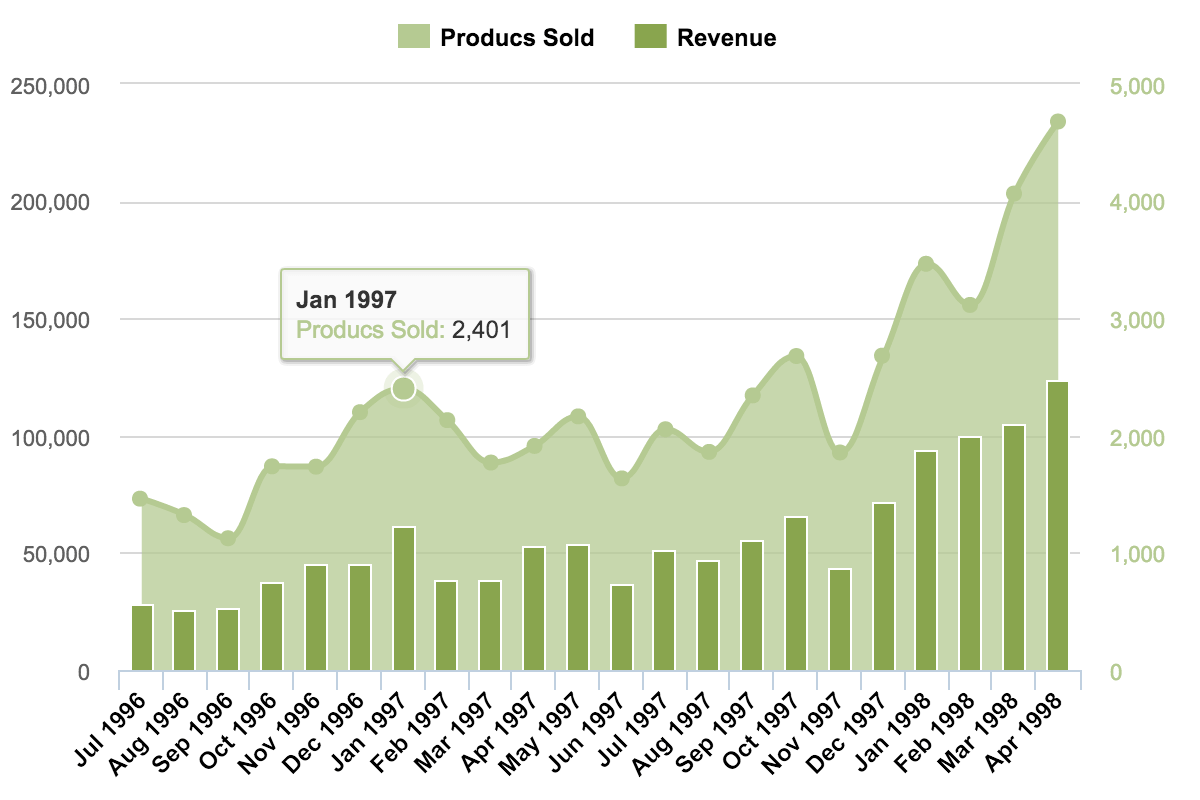
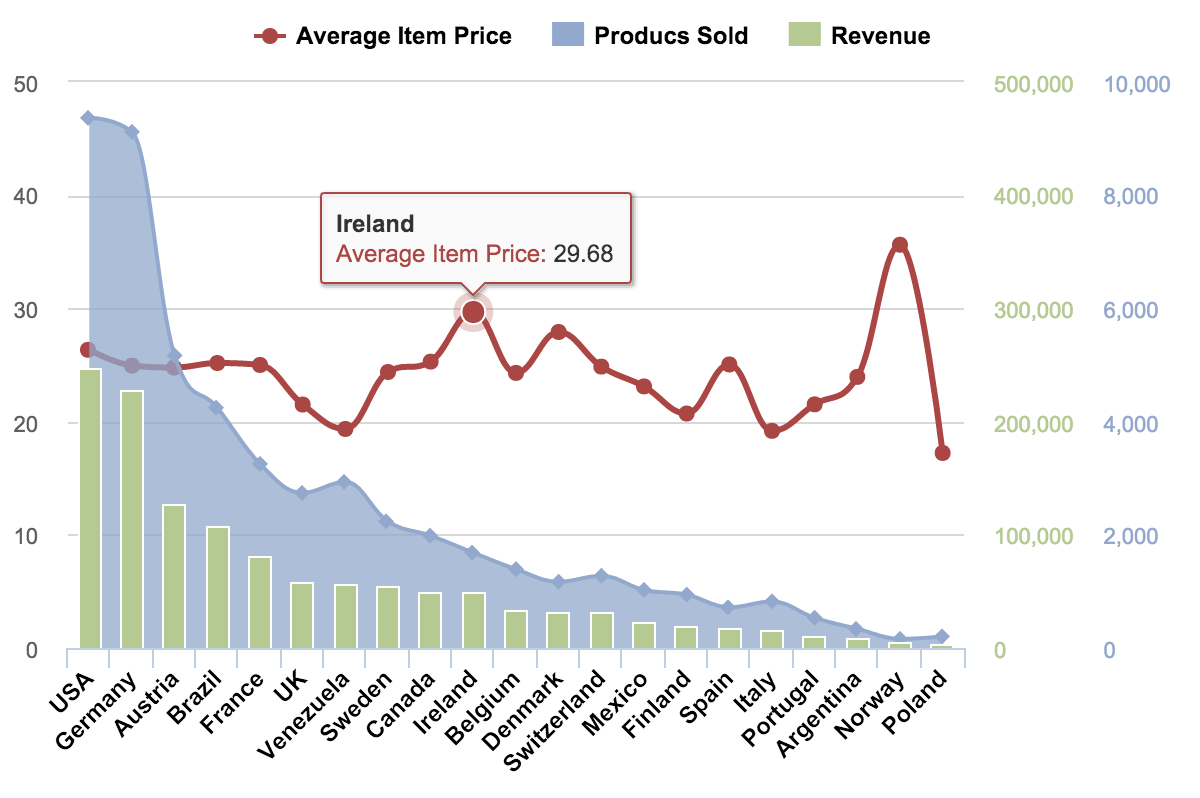
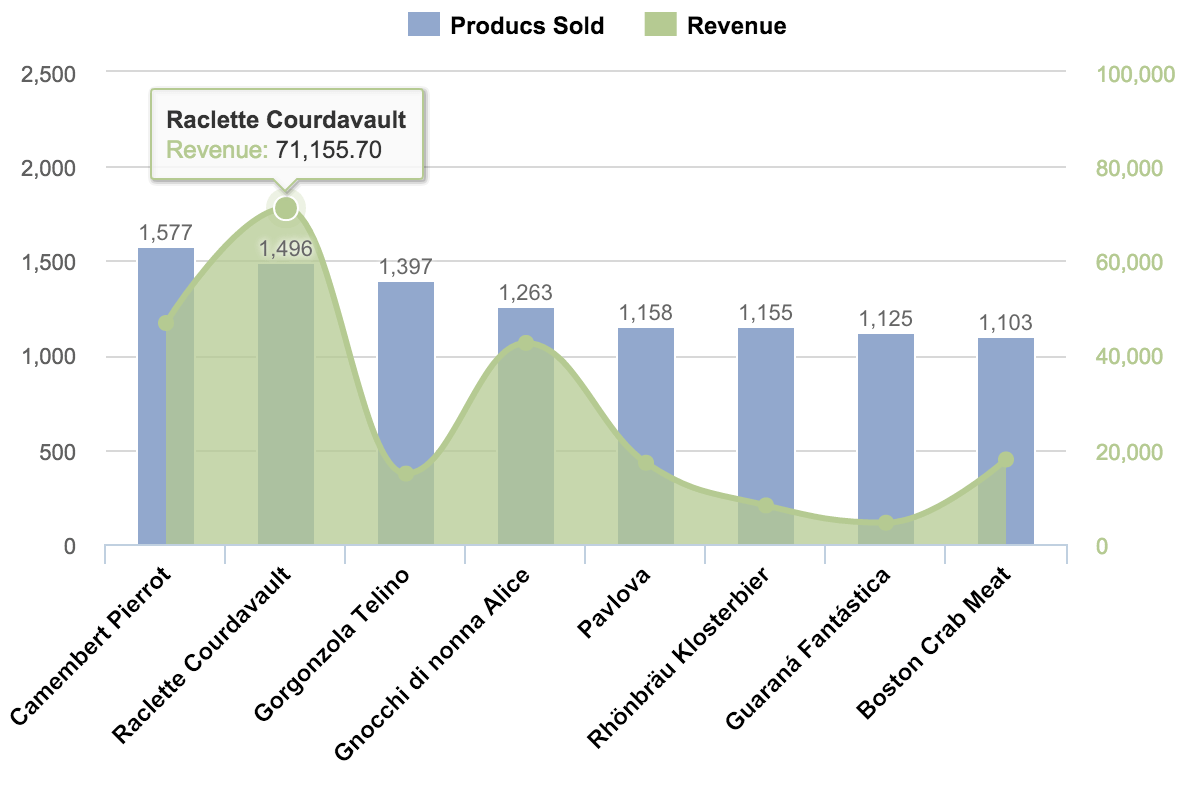
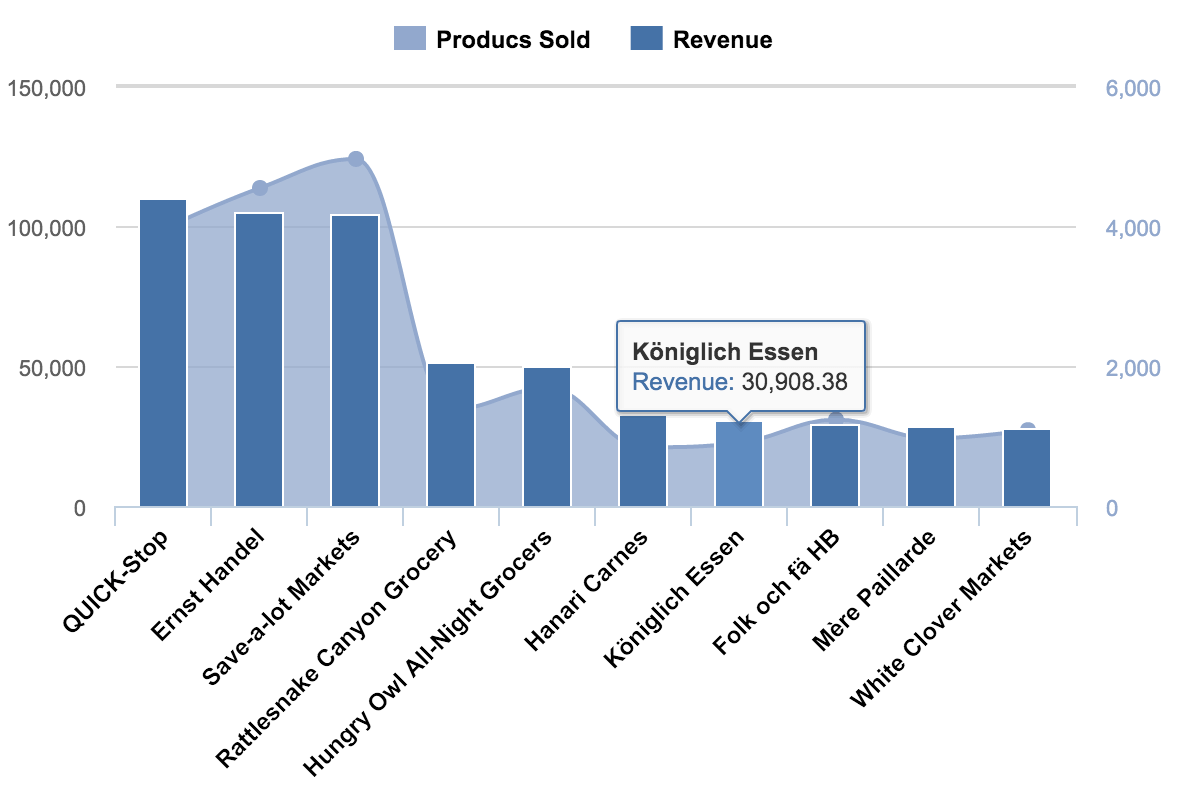
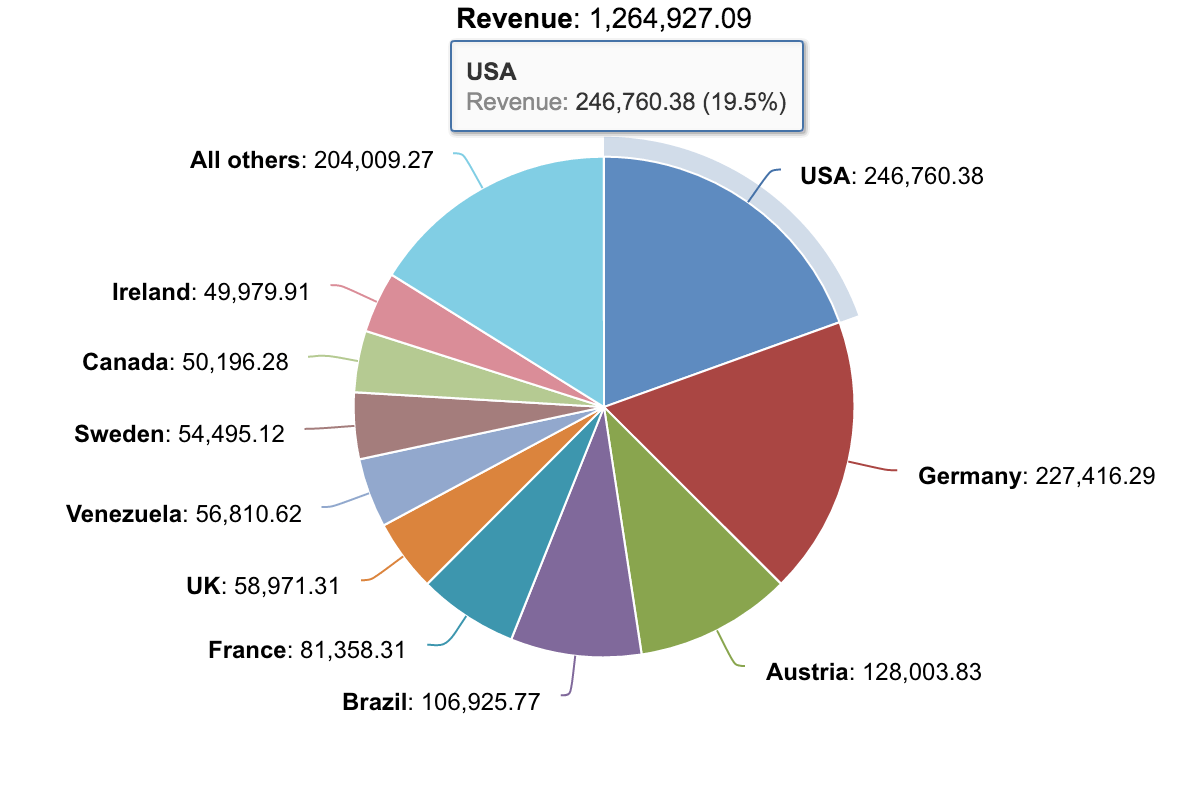
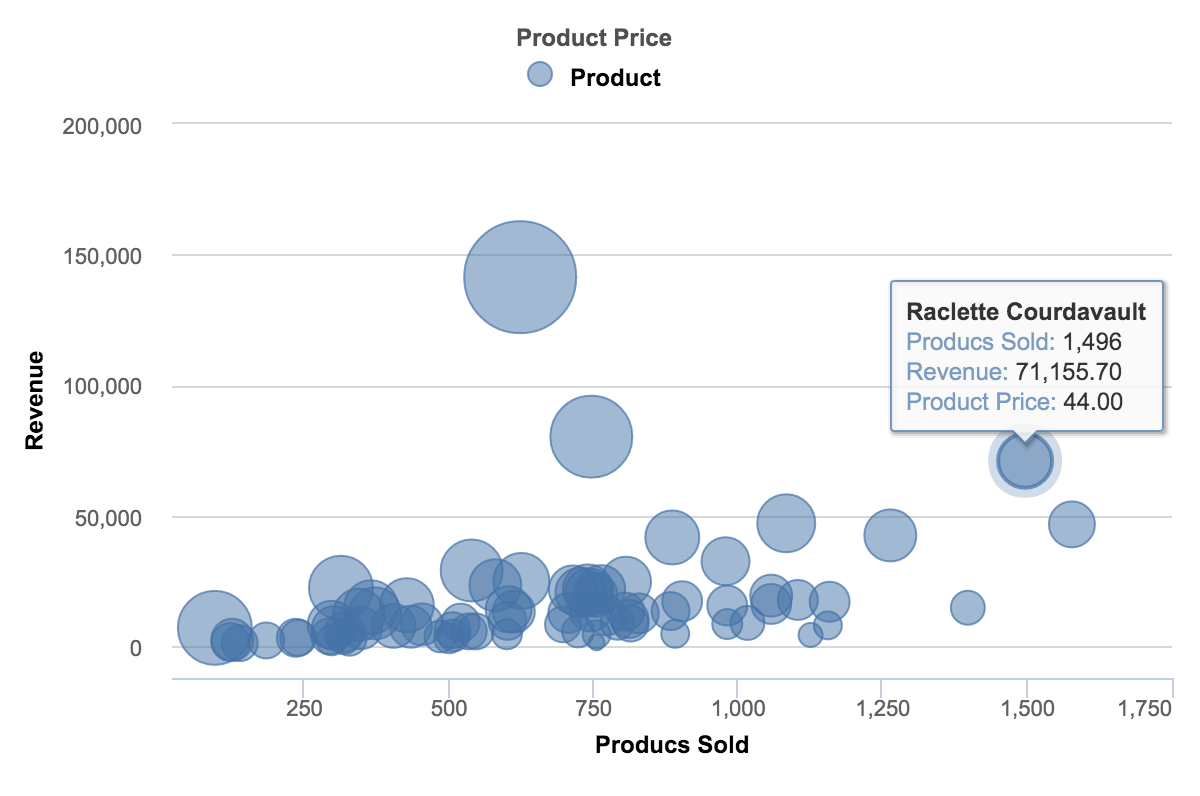
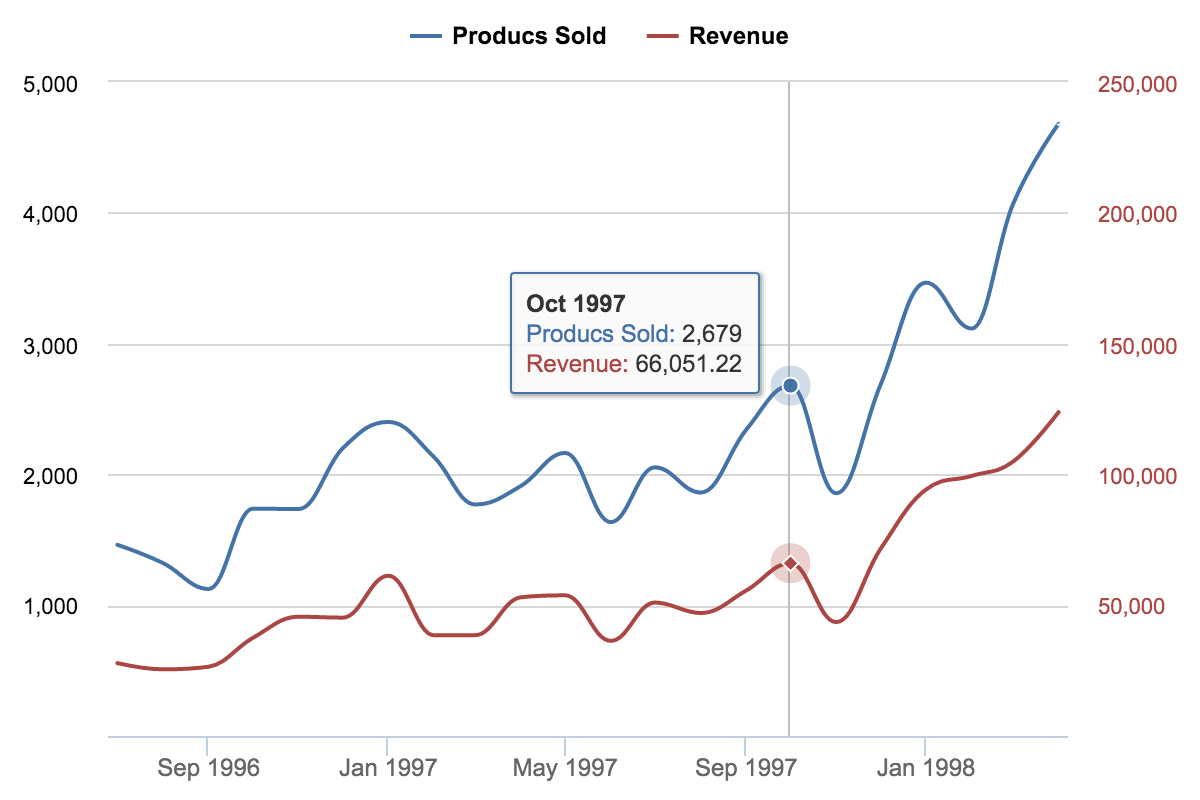
The products sold and revenue by month, by country, of the top companies, and of the best-selling products, on one dashboard.
eazyBI Cloud pricing & plans
- 200MB storage (per creator)
- Automatic data import at a specified time every day. On-request manual data import available any time.
- Import data from supported data sources and applications.
- Export your charts as PDF or PNG files and chart data as XLSX or CSV files.
- Embed and share your reports using <iframe>.
Starting from 5 creators or 20 viewers
- Embed and share your reports to non-eazyBI users using public access tokens.
- Receive regular dashboard snapshots as PDF attachments in your email.
- Create data access roles to limit user access to report folders, dashboards, or data cubes.
Support & resources
eazyBI’s powerful report builder comes with an extensive knowledge base, a vibrant community, and experienced support.
 Support
Top-rated support ready to guide you through your reporting journey.
Support
Top-rated support ready to guide you through your reporting journey.
 Documentation
Detailed documentation with tutorials, instructions, use cases, and how-to videos.
Documentation
Detailed documentation with tutorials, instructions, use cases, and how-to videos.
 Community
Active and growing user community with shared experiences and practical solutions.
Community
Active and growing user community with shared experiences and practical solutions.
 Learning Center
Hands-on, self-service lessons to build different reports and grasp BI concepts.
Learning Center
Hands-on, self-service lessons to build different reports and grasp BI concepts.
12000+ installs, 5000+ customers from 150+ countries


Put your data to work
Find the eazyBI that fits your work. Start with a free eazyBI trial.


